
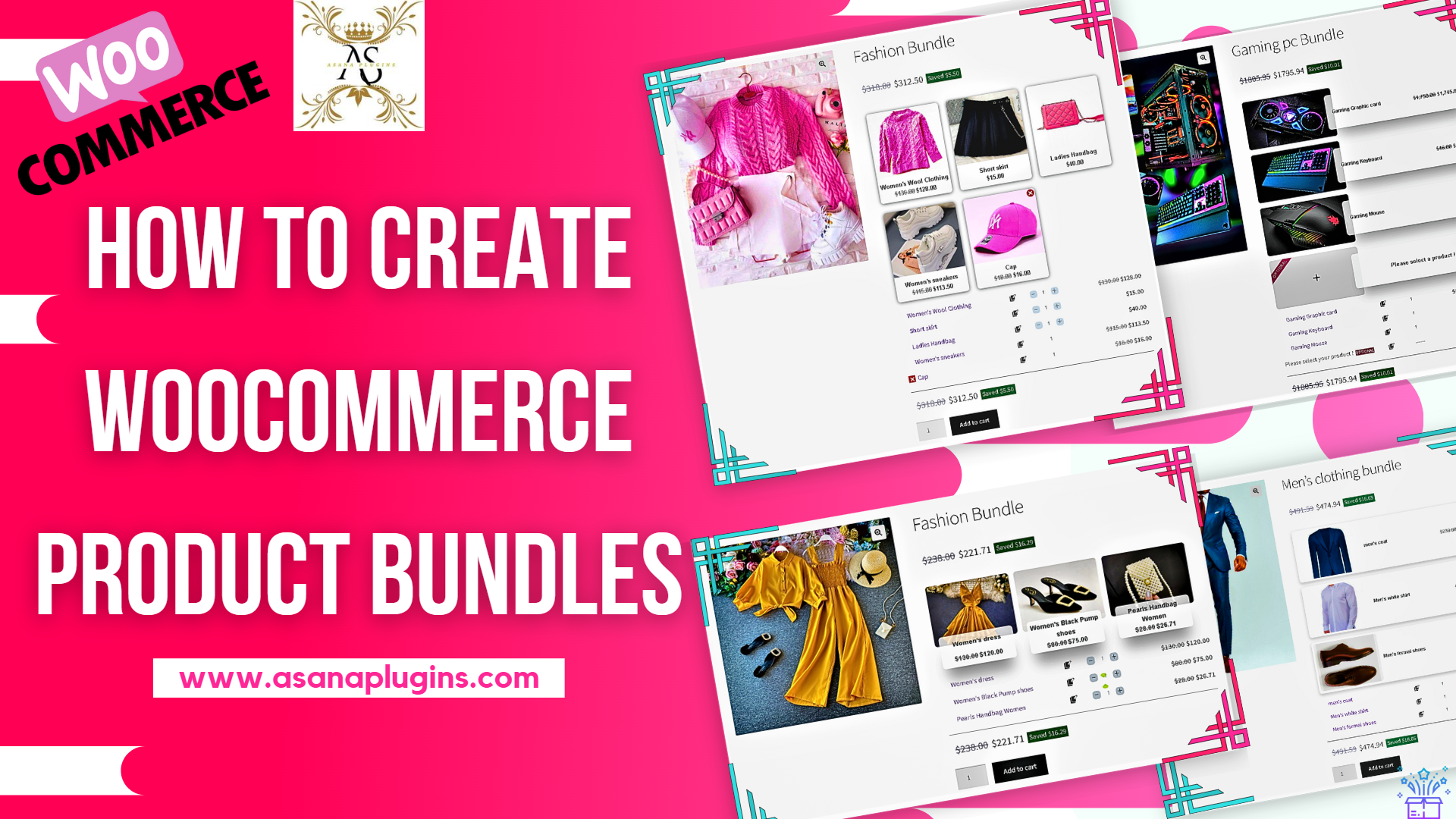
Product Bundle or Product Groups is a strategy to group products together and sell them with a discount or without. This strategy convinces the customer to spend more money on increasing the average order value. In this tutorial, we will learn how to create various WooCommerce Product Bundles quickly and easily.
There are several methods to implement product bounding in WooCommerce. In this guide, we will introduce some useful product bundle strategies like Assembled Products, Mix-and-Match products, Dynamic Bundles, Simple Bundles, BOGO (Buy One Get One Deal), Gift Products, Optional Products, Frequently Bought Together Products, personalized boxes, recommend add-ons and essential.
Table of Contents
- WooCommerce Product Bundles Plugin
- How to Create Simple WooCommerce Product Bundles
- How to Create WooCommerce Product Bundle with Variations (Free Plugin)
- How to Create WooCommerce Mix and Match
- How to Create WooCommerce Composite Products
- How to Create Custom Bundles with Categories
- Provide Free Gift Products in WooCommerce Complete Guide
- How to Create Dynamic and Flexible Bundles in WooCommerce
- How to Create WooCommerce Flexible Optional Product Bundles
- How to Create WooCommerce Combo Offers
- Create Assembled Products in WooCommerce
- How to Create WooCommerce Grouped Products
- Create Frequently Bought Together Products Bundle
- How to Create BOGO Deals with WooCommerce Product Bundles
- Create Personalized Boxes in WooCommerce Product Bundles
- Recommend Addons and Essentials
- How to translate WooCommerce product bundles
- Themes and Sizes
- Powerful Price Calculation
- Add discounts to your product Bundles
- Shipping Fee Calculation
- Coupon Apply Method
- WooCommerce Product Bundles Settings
- Articles
- 🚀 SOCIAL MEDIA LINKS
WooCommerce Product Bundles Plugin
The Easy WooCommerce Product Bundles plugin allows you to create simple to advanced product bundles in WooCommerce. In this article, we use the Easy WooCommerce Product Bundles plugin to create advanced and simple product bundles.
Some example product bundles that you can create with the Easy WooCommerce Product Bundles plugin.
- Simple or Pure product bundles
- Advanced and Dynamic product bundles
- Composite Products
- Custom Bundles with Categories
- Assembled products bundle
- Mix-and-Match products bundle
- Frequently bought together products bundle
- Create BOGO deals
- Give gift products
- Create Personalized Boxes
- Recommend addons and essentials
- Optional products in WooCommerce Product Bundles
How to Create Simple WooCommerce Product Bundles
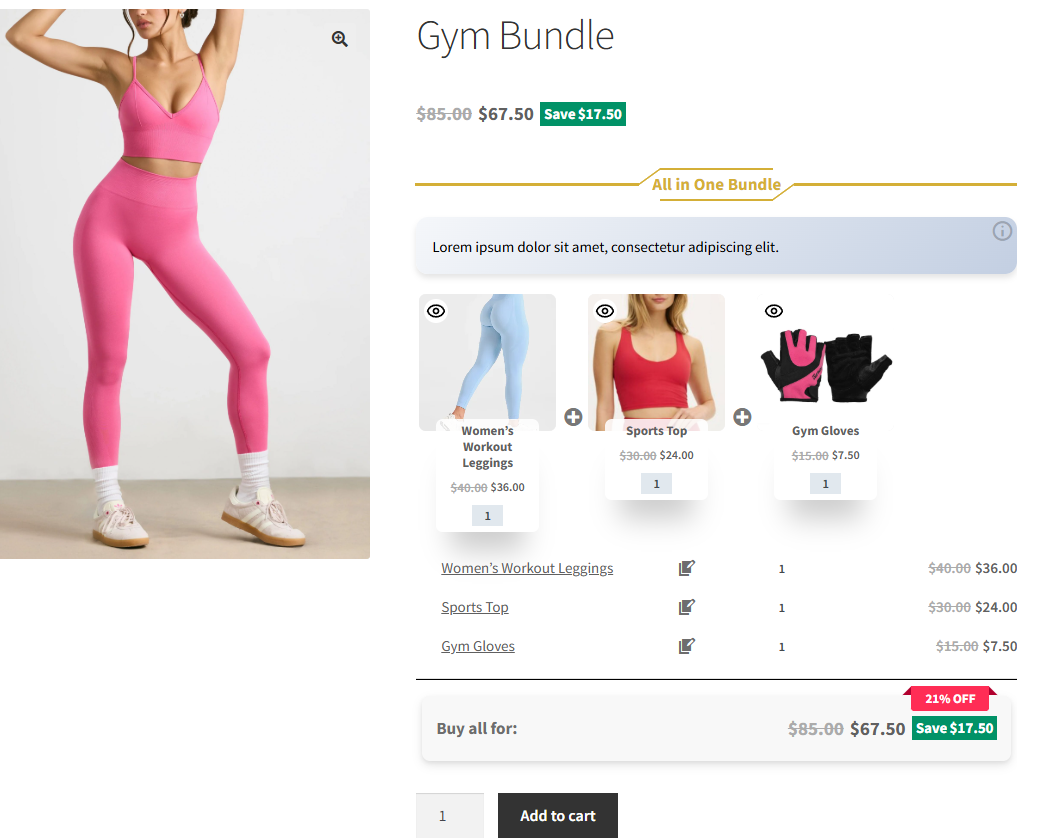
If you want to sell several related products together as one package, this method is a simple and effective solution.
With this approach, the products inside the bundle are already selected by the store owner, so the customer does not need to choose or add items manually. They simply add the bundle to the cart and complete the purchase.
Available pricing strategies:
- Fixed Price: Set a regular or sale price for the entire product bundle.
- Auto-calculated Price: The plugin automatically calculates the final price based on the selected products. You can apply a percentage discount, a fixed discount amount, or a custom price for each bundle item.
You can read Product Bundles in WooCommerce for more information.
How to Create WooCommerce Product Bundle with Variations (Free Plugin)
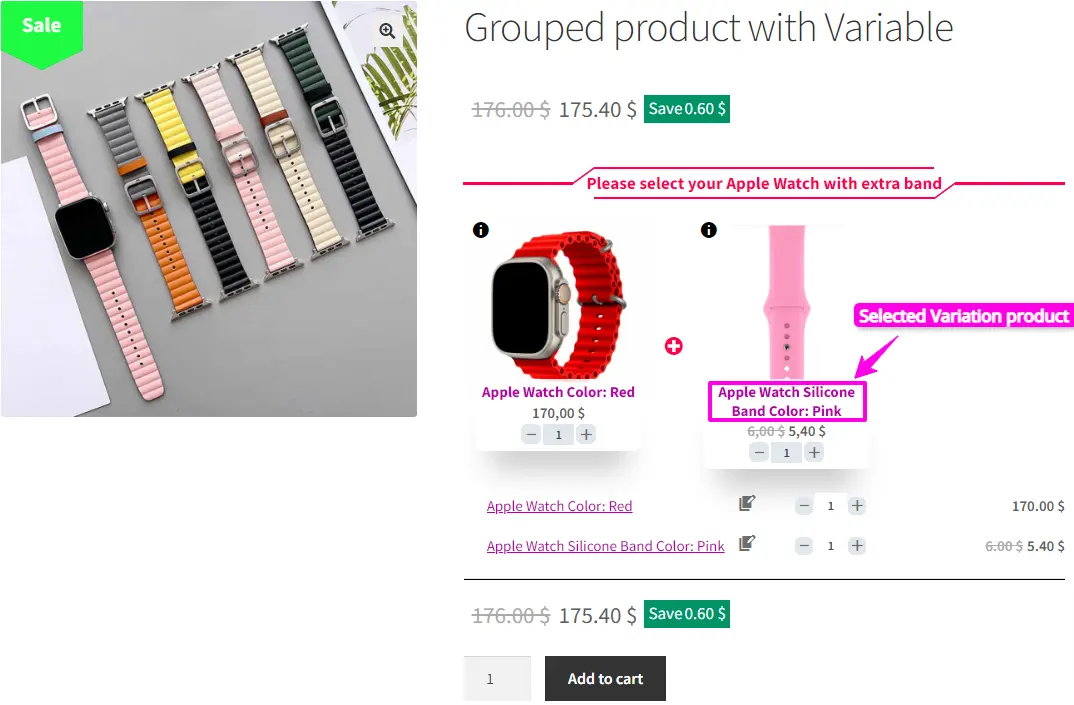
Creating a product bundle in WooCommerce with a free plugin simply means selling a few related products together in one place, while still letting customers choose options like color or size for each product. Instead of adding items to the cart one by one, the customer selects everything on a single page and buys them together. This makes shopping easier for customers and helps store owners sell more, without using complicated or paid plugins.
To learn how to do this step by step, read this WooCommerce Product Bundle with Variations (Free Plugin)
article.
How to Create WooCommerce Mix and Match
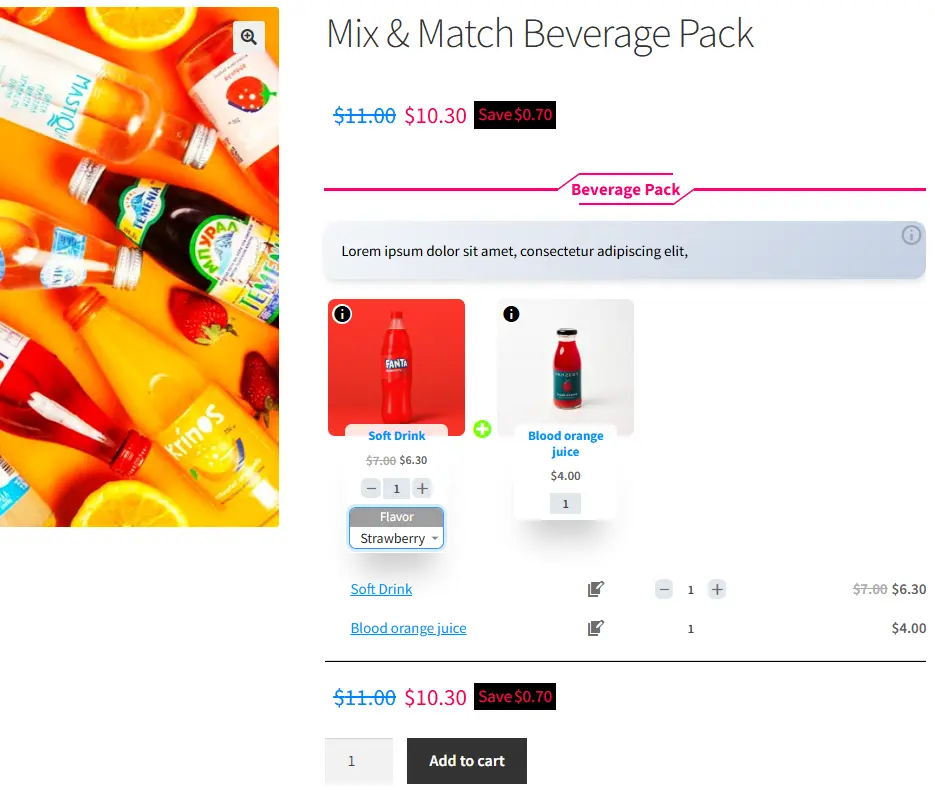
A WooCommerce Mix and Match product lets customers build their own custom bundle by choosing individual items and quantities from a selection you provide, creating personalized product boxes like gift sets, assortments, or custom offers right on your store. The free Easy Product Bundles for WooCommerce plugin makes this possible without complex setup, offering flexible pricing (fixed or auto-calculated), optional items, quantity limits, and visual layouts so shoppers can mix products as they like.
For step-by-step instructions and real example configurations, read this WooCommerce Mix and Match Free Plugin article.
How to Create WooCommerce Composite Products
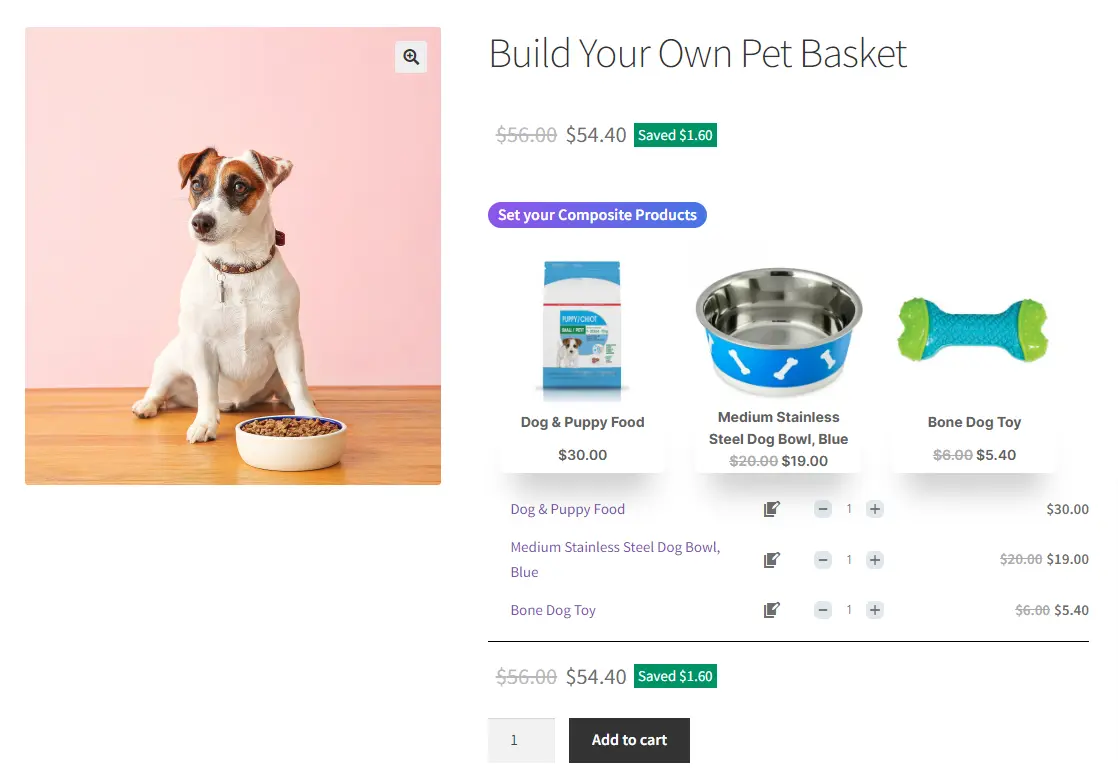
A WooCommerce Composite Product is a type of product that lets customers create and purchase a customized item by selecting from a set of pre-defined components or options. For example, a “Build Your Own Pet Basket” allows customers to choose the products that will make up their unique gift basket for their beloved furry friends, giving them full control over the contents while keeping the shopping experience simple and seamless.
You can read Create WooCommerce Composite Products for more information.
How to Create Custom Bundles with Categories
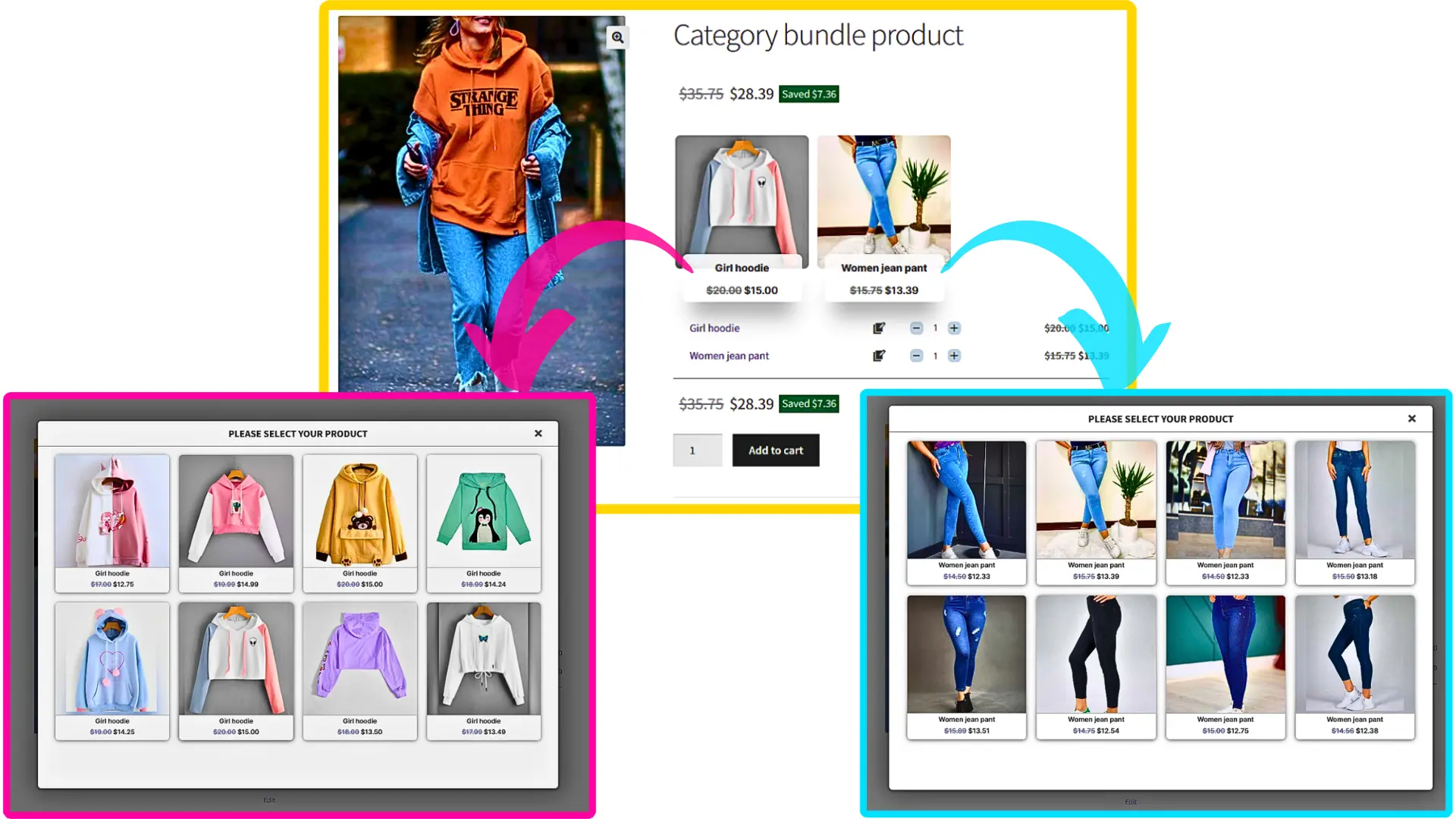
One of the main features of the WooCommerce Product Bundle plugin is the ability to assign categories to bundle items. Categories help group related products together, making it easier for customers to find what they need and create personalized bundles that match their preferences. Using categories in your bundles not only simplifies the shopping experience but also increases the chances of a sale by guiding customers to the right products effortlessly.
You can read Create Custom Bundles with Categories for more information.
Provide Free Gift Products in WooCommerce Complete Guide
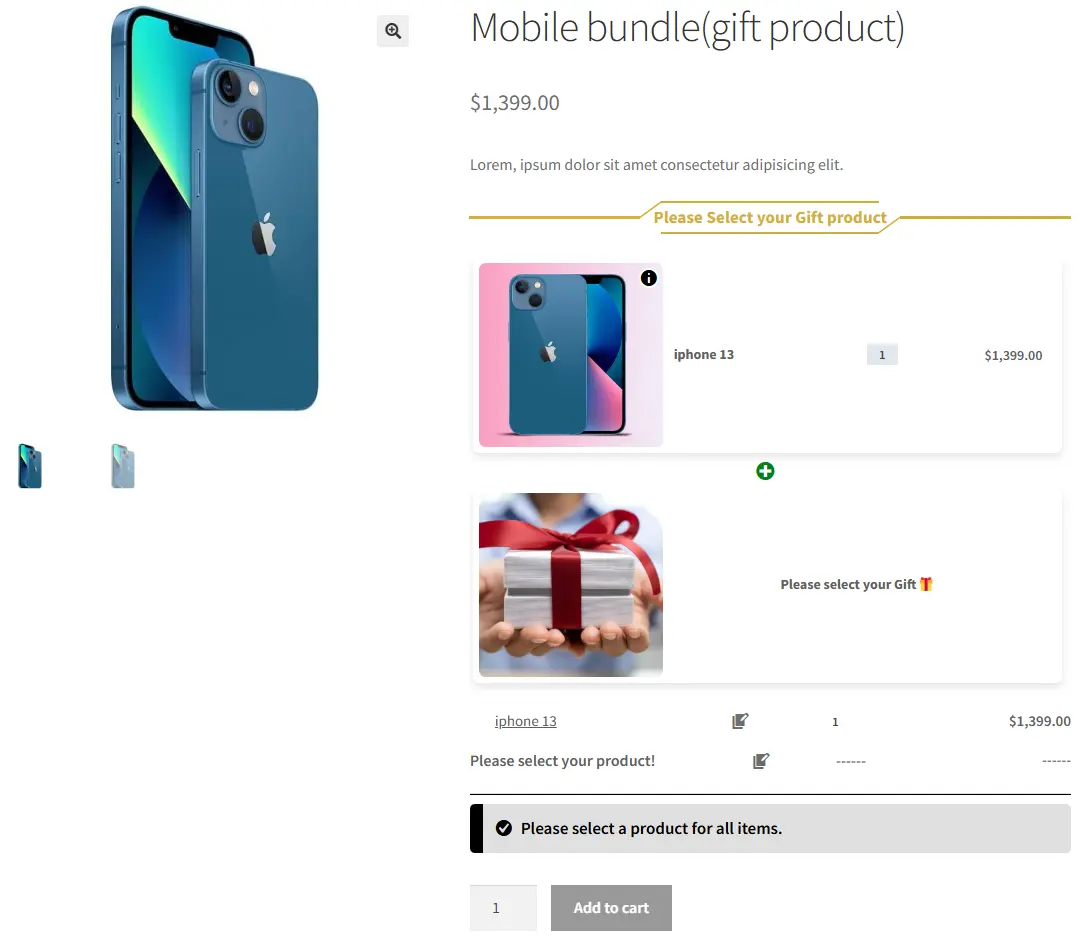
This guide explains how to offer free gift products in your WooCommerce store to delight customers and boost sales. You’ll learn practical ways to add complimentary items to orders based on rules like minimum purchase amount, specific products, or cart conditions. The step‑by‑step instructions help you create attractive promotions that increase average order value and improve the overall shopping experience.
For full details and examples, read the complete guide on “ Providing Free Gift Products in WooCommerce Complete Guide” article.
If you would like to auto-add gift products to the cart based on advanced conditions you can check out Auto Add Products to Cart for WooCommerce plugin.
How to Create Dynamic and Flexible Bundles in WooCommerce
This article walks you through how to build dynamic product bundles in WooCommerce that give customers flexible choices and boost your store’s sales. Instead of fixed sets, dynamic bundles let shoppers pick items or variations within a bundle, creating custom combinations that suit their needs. You’ll find clear, step‑by‑step guidance and examples to set up these smart bundles using a free or premium plugin, helping you increase conversions and improve the shopping experience.
For complete instructions and tips, read the full article “How to Create Dynamic and Flexible Bundles“ on AsanaPlugins.
How to Create WooCommerce Flexible Optional Product Bundles
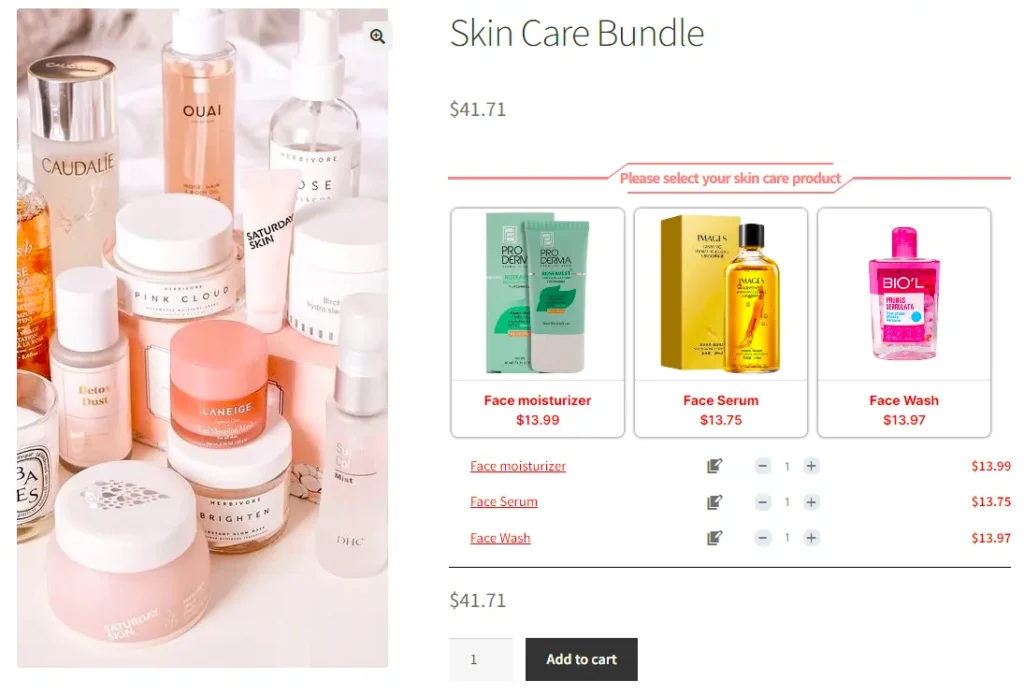
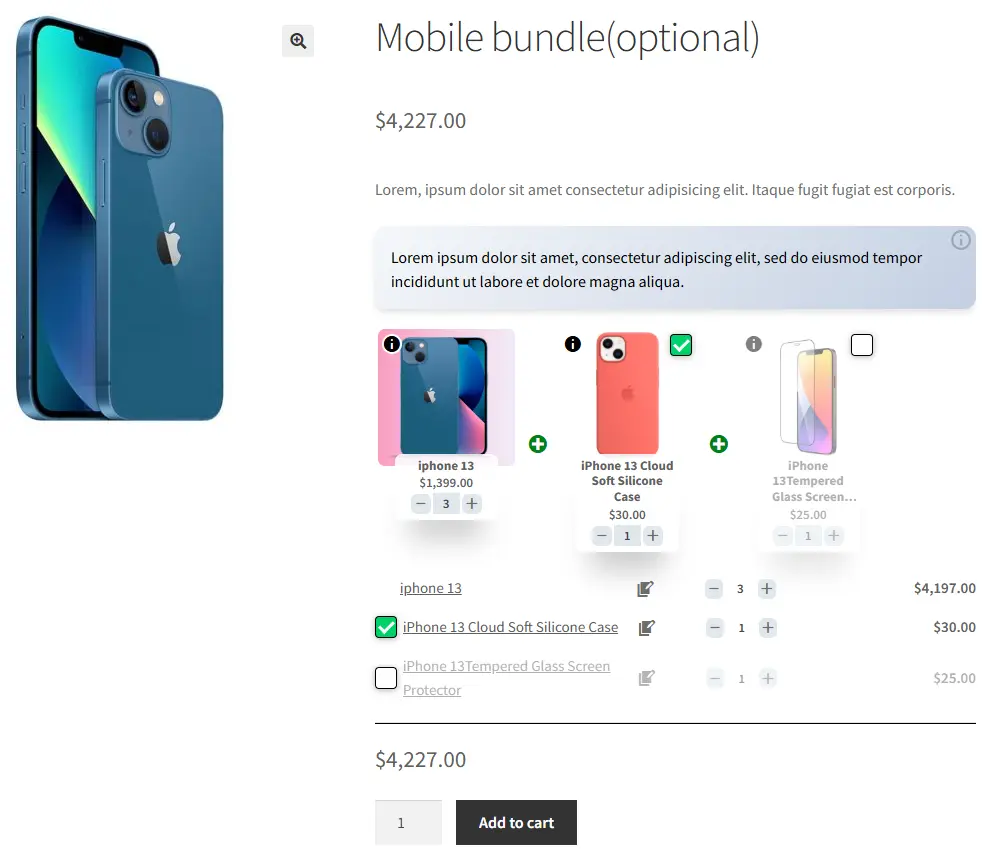
This guide explains how to create flexible optional product bundles in WooCommerce, allowing customers to choose which items they want to include in a bundle. Instead of forcing all products, shoppers can mix and match options according to their preferences, making the purchase more personalized and engaging. Using flexible bundles helps increase customer satisfaction, boost sales, and improve the overall shopping experience.
For detailed steps and examples, check out the full article “WooCommerce Flexible Optional Product Bundles” on AsanaPlugins.
How to Create WooCommerce Combo Offers
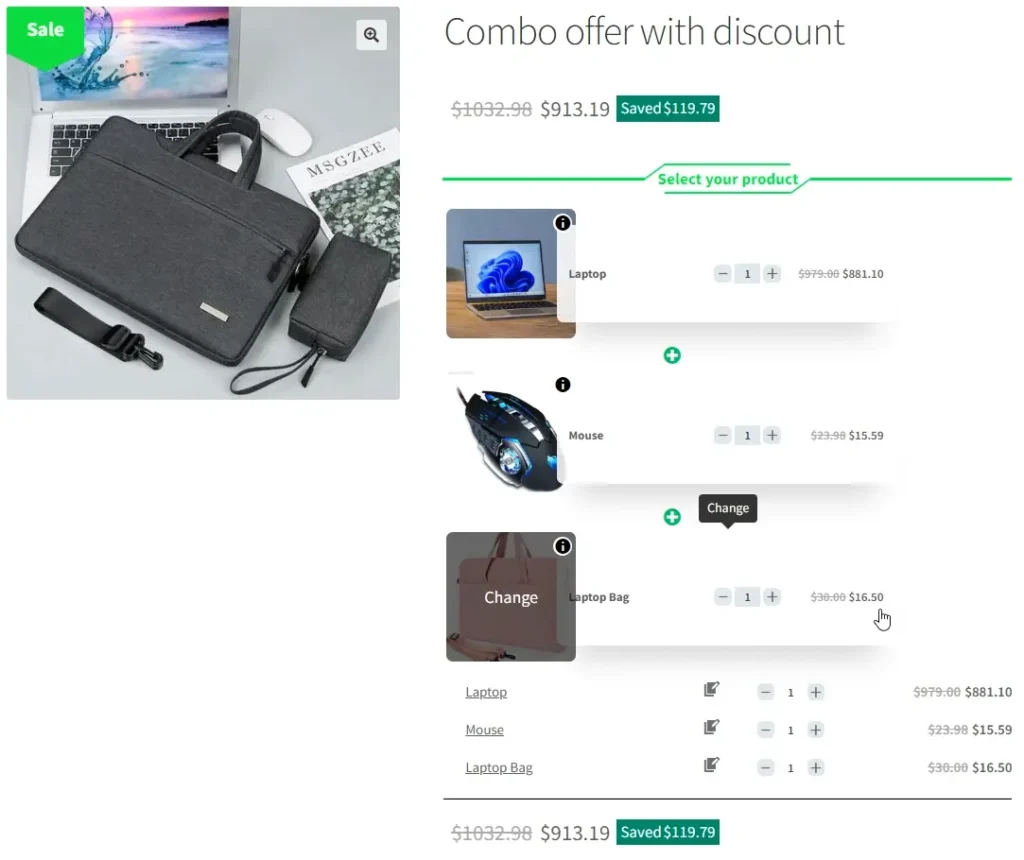
WooCommerce Combo Offers let you create attractive deals by bundling multiple products together. Customers can enjoy discounts, “buy one, get one” promotions, or special pricing when they purchase specific product combinations. This strategy makes shopping simpler, encourages larger orders, boosts your sales, and enhances the overall customer experience.
You can read the WooCommerce Combo Offers article for more information.
Create Assembled Products in WooCommerce
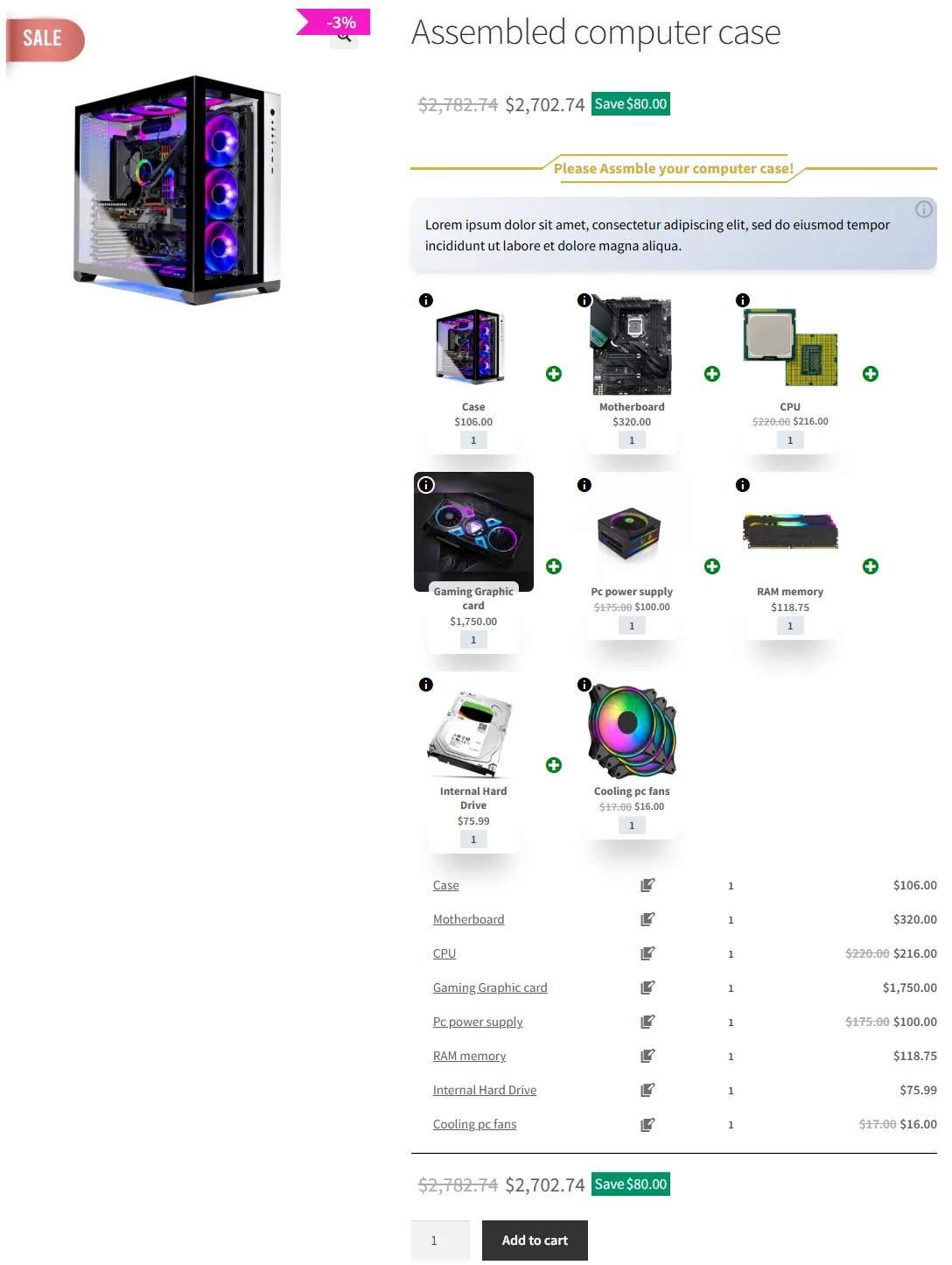
If you sell products that can be customized, WooCommerce Product Bundles lets your customers create their own unique combinations. Shoppers can assemble a product by selecting from the available components, giving them full control over what goes into their bundle and making the shopping experience more personalized and engaging.
You can read How Create Assembled Products in WooCommerce article for more information.
How to Create WooCommerce Grouped Products
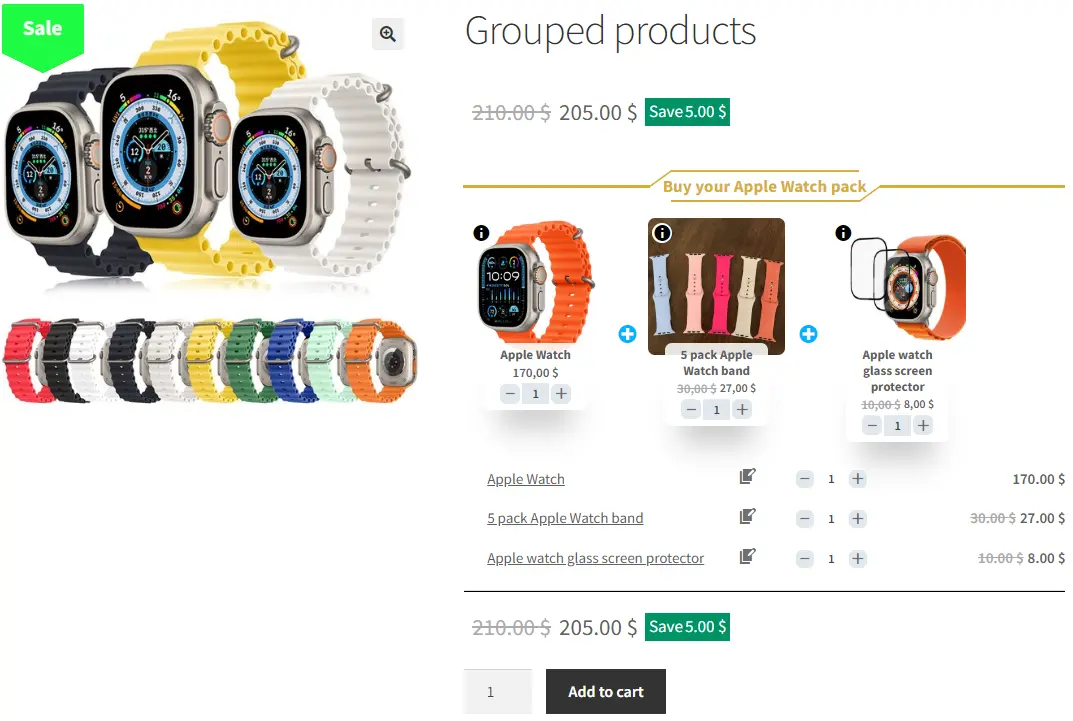
This article explains how to use WooCommerce Grouped Products to display related items together on a single product page, letting customers add multiple products to their cart at once. Instead of selling items individually on separate pages, grouped products show complementary products—like accessories or related tools—together in one place, improving the shopping experience and increasing potential sales. The guide also covers practical steps and tips for setting up and managing grouped products in your store using the Product Bundle Builder plugin.
You can read How to Create WooCommerce Grouped Products article for more information.
Create Frequently Bought Together Products Bundle
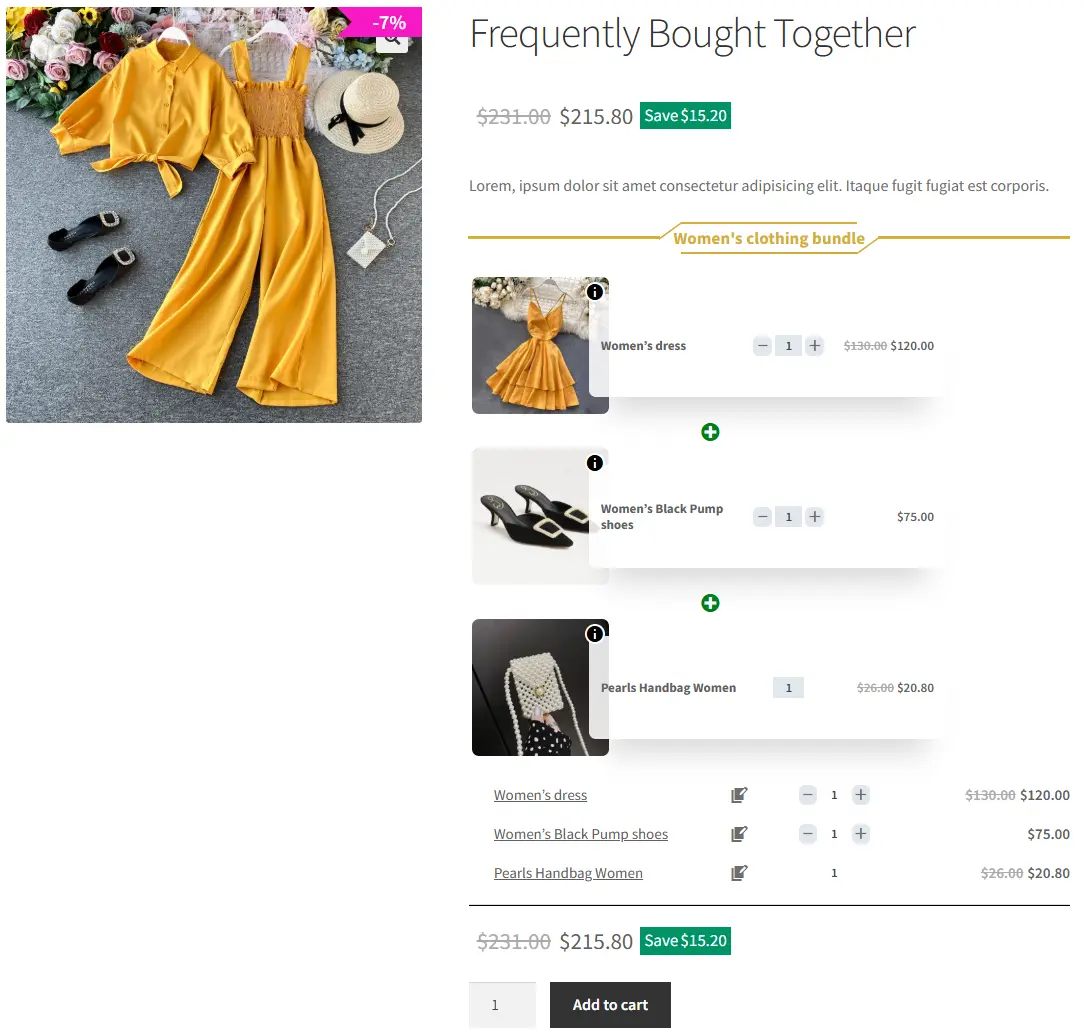
Stores like Amazon boost sales by showing products that are “frequently bought together.” With the WooCommerce Product Bundles plugin, you can create your own bundles of these popular product combinations. You can also add a discount to make the bundle even more appealing, encouraging customers to buy more and increasing your average order value.
How to Create BOGO Deals with WooCommerce Product Bundles
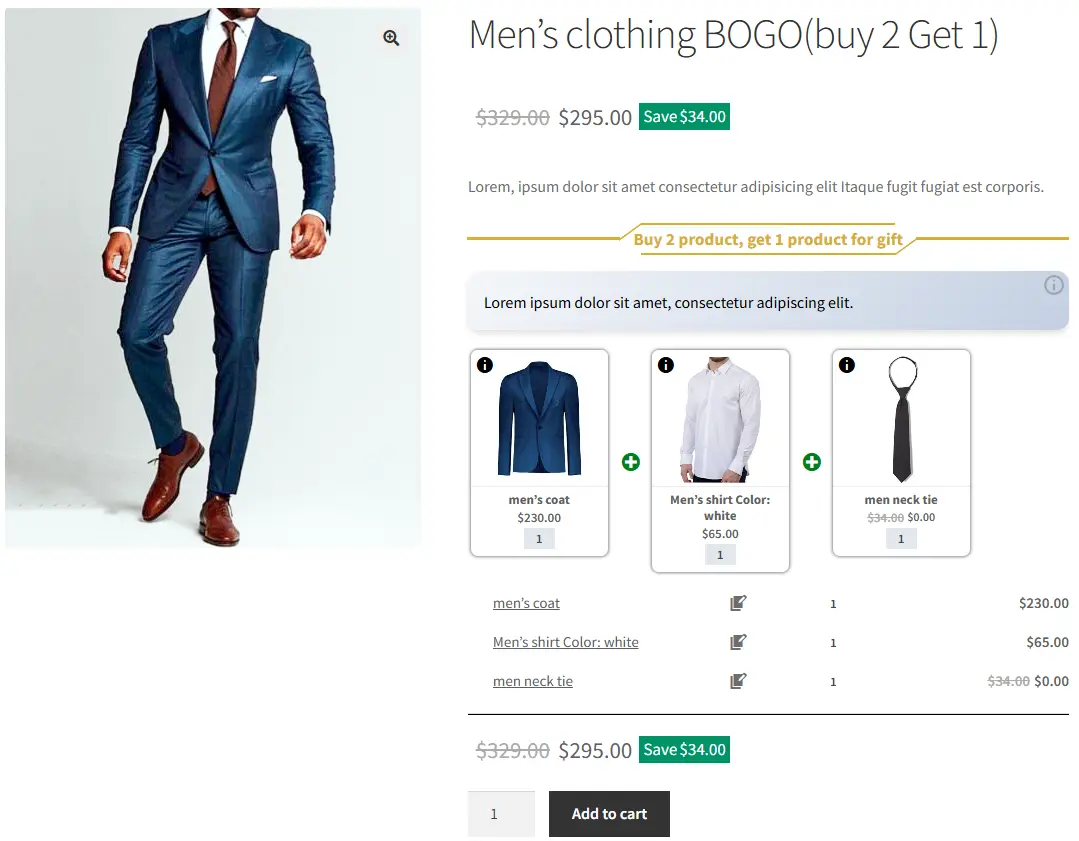
Want to offer “Buy One Get One” (BOGO) deals in your WooCommerce store? With the Product Bundle Builder for WooCommerce, you can easily create simple BOGO deals by bundling products together. This allows you to attract new customers, encourage larger orders, and increase sales—all directly through the plugin’s features.
In this article, we also show you how to create BOGO (Buy One Get One) deals in WooCommerce.
However, if you would like to create more advanced BOGO deals, you can check the Discount Rules and Dynamic Pricing for WooCommerce plugin.
Create Personalized Boxes in WooCommerce Product Bundles
Allow your customers to create personalized boxes by pick and mix product strategy. You can control the minimum and maximum quantity of items that customers can add to the personalized box.
Recommend Addons and Essentials
If a product has add-ons or essentials you can create a product bundle and offer add-ons as bundle items of that product. Also, you can offer add-ons or essentials as optional bundle items. This way you can increase the average order value.
How to translate WooCommerce product bundles
Translating the WooCommerce product bundle into your own language can have a positive effect on increasing the income of your online store, you can reach customers who may not speak English and are more likely to shop in their native language.
You can readHow to Translate WooCommerce product bundle article for more information.
Themes and Sizes
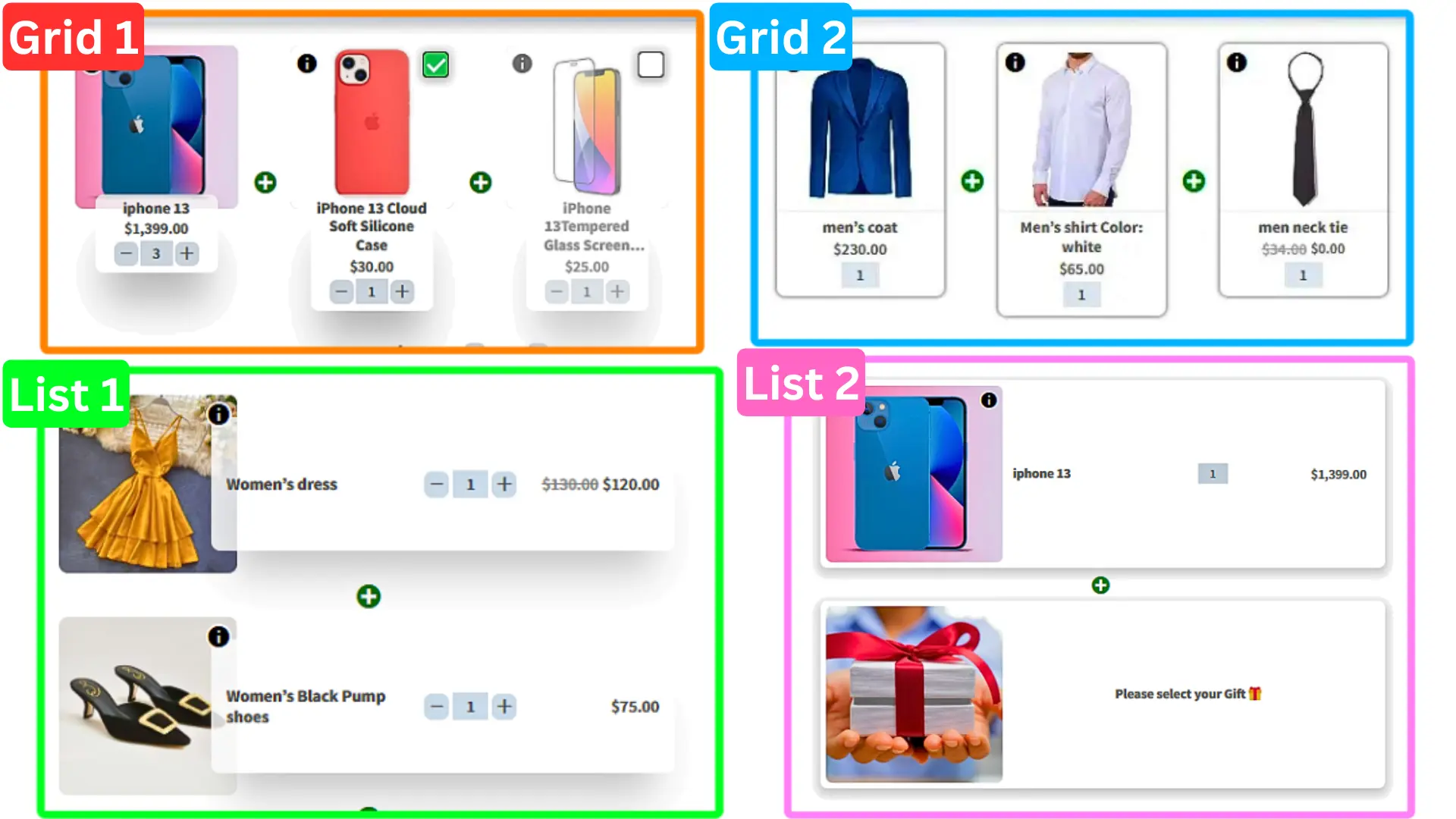
There are multiple beautiful grids and list themes in the WooCommerce Product Bundles plugin.
Also, you can choose “small, medium, or large” sizes for items of the product bundle in WooCommerce.
Powerful Price Calculation
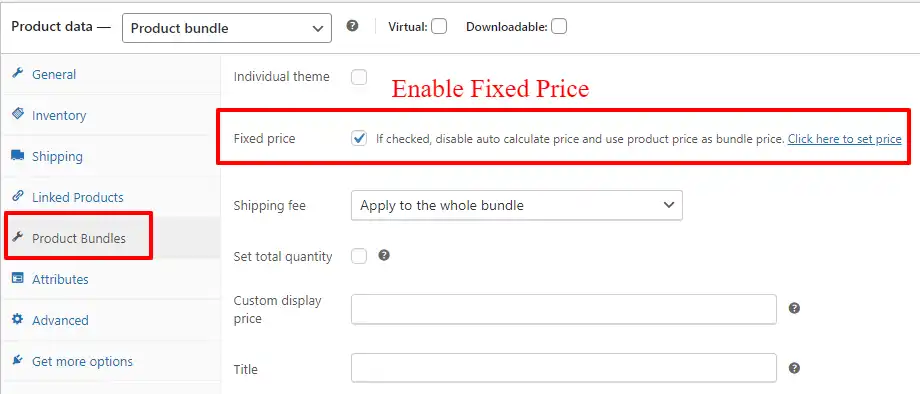
The Product Bundles for WooCommerce plugin offers fixed price or auto-calculated price options to create bundles. You can set a fixed price for the whole bundle or allow the plugin to calculate a dynamic price based on each bundle item’s price.
Add discounts to your product Bundles
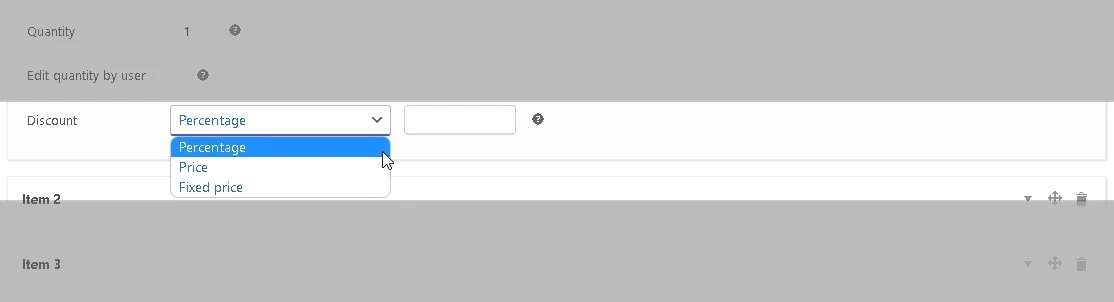
The plugin allows adding percentage, price, or fixed price discounts on each bundle item when using the auto-calculate price feature.
Shipping Fee Calculation
Select to calculate the shipping fee for the whole bundle or each bundle item.

Coupon Apply Method
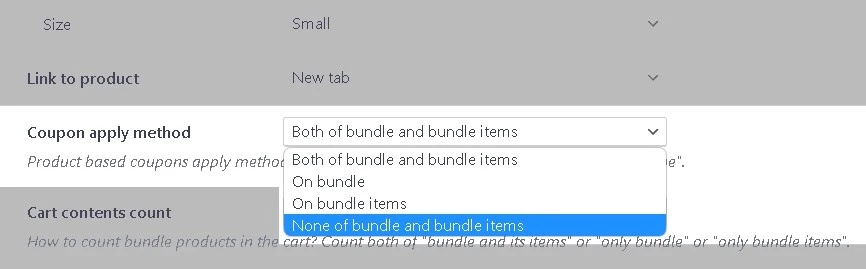
Control how coupons should be applied to the bundle product (Both bundle and bundle items | Only bundle | On bundle items | None).
WooCommerce Product Bundles Settings
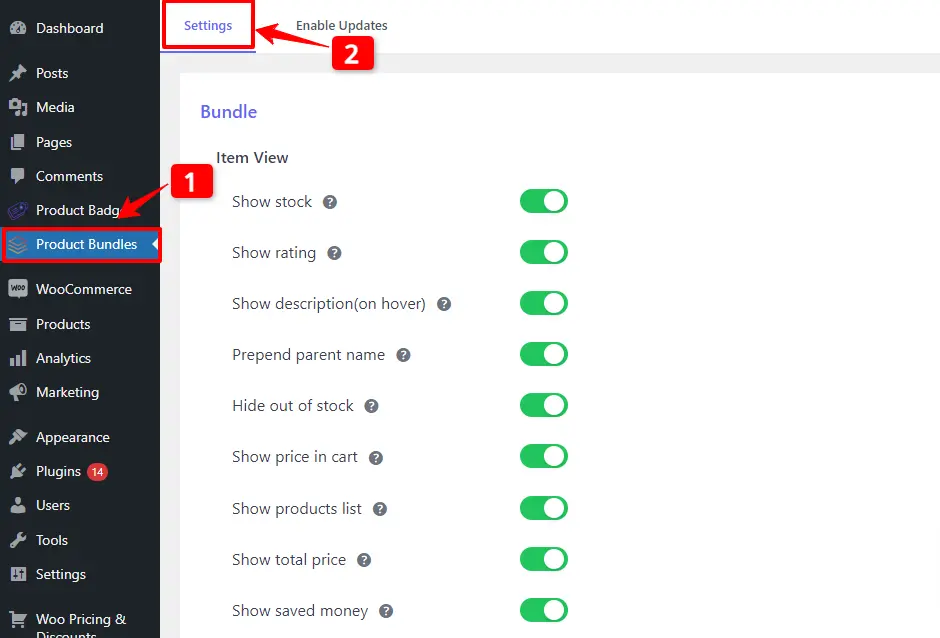
All the plugin settings you need can be found on the “Product Bundles” tab in the WordPress dashboard.
Settings and customization are available on this page:
- Item View: In this section, you can configure various settings, such as displaying stock availability, showing product ratings and descriptions, enabling modal quick views, adding a quantity field on item pages, displaying a plus icon for items, setting the theme and size options, positioning product bundles on the product page, defining custom CSS selectors, specifying the product price selector, and many other customizable options.
- Change product model: In this section, you can configure the number of products per pop-up page.
- Styles: In this section, you can customize the colours of different parts of your bundle and set the product image object-fit CSS.
Articles
To delve deeper into the realm of Product Bundle plugin and their applications, we invite you to explore the array of informative resources we’ve compiled in the list below. These resources promise to expand your understanding and proficiency in leveraging the potential of this plugin to the fullest:
- WooCommerce Product Bundles Free Plugin
- Create Assembled Products in WooCommerce(2024)
- How to Create WooCommerce Combo Offers (2024)
- WooCommerce Product Bundle with Variations (Free Plugin)
- WooCommerce Mix and Match Free Plugin
- Create Custom Bundles with Categories in WooCommerce Product Bundle Plugin
- How to Create WooCommerce Composite Products?
- WooCommerce Product Bundle: How to Create Dynamic and Flexible Bundles
- Gift a Product in WooCommerce with Product Bundles
- How to translate WooCommerce product bundle
[…] only documentation available for the plugin comes in the form of a lengthy blog post, which helps if you need to find something out fast, but we’d like to see dedicated […]